Lock screen

New Features of One UI 8 (Android 16) Update for Galaxy S25, S24, S23, and S22
Galaxy S25 How-to Guides, Galaxy S25 New Features

All New Features of One UI 8 (Android 16) Update for Galaxy S25, S24, S23, and S22

New Features of One UI 8 (Android 16) Update for Galaxy S25, S24, S23, and S22

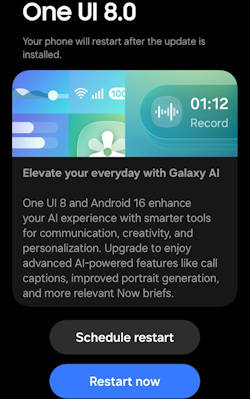
Samsung has officially been rolling out the One UI 8 update, built on top of Android 16, to the flagship Galaxy lineup, including the S25, S24, S23, and S22 series, and it's packed with a powerful suite of new features and enhancements.

The new features in this One UI 8 update focus on three core themes: making Galaxy AI more integrated and intelligent, offering deeper Personalization options, and delivering a significant boost in Productivity and Health.

This Galaxy S25 new features guide explains in detail all the new features of the One UI 8 (Android 16) update for Galaxy S25, S24, S23, and S22, one by one, to help you fully understand and use these new features. This guide complements the key highlights of the One UI 8 update.

Table Of Contents
  1. Galaxy AI Gets Even Smarter
  2. A More Personal Galaxy
  3. Boosting Your Productivity
  4. Enhancing Multitasking & DeX
  5. Reimagined Reminders & Calendar
  6. A New Era for Samsung Health
  7. Pro-Level Photo & Video
  8. Seamless Audio & Communication
  9. Enhanced Security & Privacy
  10. Accessibility for All
  11. Smarter Modes & Routines
  12. Even More Improvements
Read the rest
One UI 8 Update Highlights for Galaxy S25, S24, S23, and S22
Galaxy S25 How-to Guides, Galaxy S25 New Features

One UI 8 Update Highlights for Galaxy S25, S24, S23, and S22

One UI 8 Update Highlights for Galaxy S25, S24, S23, and S22

The One UI 8 update brings an array of exciting enhancements to Galaxy S25, S24, S23, and S22 devices, focusing on integrating advanced artificial intelligence features and optimizing user experience (see the list of all new features of One UI 8). With its foundation built on Android 16, One UI 8 is designed to elevate the way users interact with their devices, offering personalized suggestions, refined photo editing tools, and seamless multitasking capabilities. As Galaxy AI becomes a central feature of the user experience, One UI 8 aims to provide a smarter, more personalized, and visually appealing interface that adapts to individual user needs.

This Galaxy S25 new features guide aims to highlight the notable features introduced with the One UI 8 update. It provides a comprehensive analysis of the key enhancements within this update and underscores its significance for users of the Galaxy S25, S24, S23, and S22 models, enhancing your understanding of the new capabilities brought by One UI 8.

One UI 8 update has been rolled out to multiple Galaxy devices. Most of the new features are available on all devices. Therefore, this guide applies to most of the Galaxy devices with the One UI 8 (Android 16) update, not limited to Galaxy S25, S24, S23, and S22. You may also check the complete list of new features of One UI 8 and their usage.

Multimodal Intelligence: New Galaxy AI features

One UI 8 establishes Galaxy AI as a fully integrated, foundational layer within the software stack, moving beyond simple application features to optimizing complex user interactions through advanced multimodal capabilities.

Now Brief Enhancements and Personalized Suggestions

Utilizing the underlying Personal Data Intelligence (PDI) system, Now Brief provides personalized, proactive suggestions based on recognized user routines and context. These … Read the rest

A Definite Guide to Galaxy S25 Flipsuit Case
Galaxy S25 Accessories Guides, Galaxy S25 How-to Guides, Galaxy S25 Reviews

A Definite Guide to Galaxy S25 Flipsuit Case

A Definite Guide to Galaxy S25 Flipsuit Case

The Galaxy S25 Flipsuit case allows you to insert a customizable card into the case, which automatically synchronizes the lock screen and Always On Display with the card's design.

The Flipsuit Case for Galaxy S25 is available for Galaxy S25, Galaxy S25+, and Galaxy S25 Ultra. The sole distinction among these models lies in the fitting. Consequently, this guide is relevant for all variants of the Flipsuit Cases.

This Galaxy S25 accessories guide elucidates the origin and functionality of the Galaxy S25 Flipsuit Case, highlighting its distinctive features, as well as the procedures for attachment and usage. Additionally, a comprehensive review of the Galaxy S25 Flipsuit Case is presented, accompanied by answers to frequently asked questions regarding this accessory.

Update: One UI 8 (Android 16) update does not change the behavior of the Galaxy S25 Flipsuit case.

The History of the Flipsuit Case

Samsung introduced its first Flipsuit case for the Galaxy Z Flip 5 in 2023. With the case, you can match the cover screen (external display) of the … Read the rest

Now Brief on Galaxy S25
Galaxy AI, Galaxy S25 How-to Guides, Galaxy S25 New Features

How to Access and Customize Now Brief on Galaxy S25?

How to Access and Customize Now Brief on Galaxy S25?

Most of us often struggle with too many notifications and updates from different apps, which can be overwhelming. Now Brief, which was introduced with Galaxy S25 aims to help with this problem by using AI to filter and collect important information and then presenting such information in a clear and simple way, making it easier for us to follow and keep updated.

This Galaxy S25 how-to guide provides a comprehensive overview of the Now Brief feature, explaining its functionalities and mechanisms. The guide also demonstrates three distinct methods for accessing Now Brief on Galaxy S25 and shows you how to customize Now Brief according to your personal preferences. Additionally, the relationship between the Now Bar and Now Brief is elaborated upon to clarify some misunderstandings of these two features.

Now Brief is available on three models of Galaxy S25 as part of the One UI 7. So, this guide also applies to other Samsung Galaxy phones with One UI 7 update.

Update: with the One UI 8 (Android 16) update, you can now check stock info in the Now Bar.

What is Now Brief on Galaxy S25?

At its essence, Now Brief is an AI-driven information dashboard that curates personalized, real-time updates tailored to user preferences and daily routines. Utilizing the advanced capabilities of Galaxy AI, it analyzes user behavior and context to deliver targeted information that aligns with individual schedules and interests.

The Now Brief on Galaxy S25 highlights Samsung's latest efforts to demonstrate the practical applications of Galaxy AI, aiming to show that its capabilities extend beyond mere marketing claims and can deliver tangible benefits to a wide range of users. It is marketed as the #1 new Galaxy AI feature.

Now Brief lets you receive a tailored briefing of selected content that is updated throughout the day, occurring between your designated wake-up time (defaulting to 6:00 AM if no … Read the rest

Meaning of Galaxy S25 Status Icons and Notification Icons
Galaxy S25 How-to Guides

Meaning of Galaxy S25 Status Icons and Notification Icons

Meaning of Galaxy S25 Status Icons and Notification Icons

Galaxy S25 status icons and notification icons on the Galaxy S25 series provide essential information regarding the device's battery level, connectivity status, signal strength, and notifications from designated applications. Understanding the meaning of these Galaxy S25 icons is crucial for optimizing the use of the Galaxy S25, Galaxy S25+, Galaxy S25 Ultra, and Galaxy S25 Edge. Galaxy S25 status icons and notification icons can help you fully leverage the capabilities of the latest hardware and new features available in these devices.

This Galaxy S25 how-to guide explains the meaning of Galaxy S25 status icons and notification icons shown on Galaxy S25, Galaxy S25+, Galaxy S25 Ultra, and Galaxy S25 Edge. The differences between Galaxy S25 status icons and notification icons are also highlighted. These Galaxy S25 icons are grouped into 8 categories to make it easier for you to locate them.

Please note that Samsung may employ region-specific and carrier-specific variations in some Galaxy S25 status icons and notification icons for the Galaxy S25. As a result, you might encounter discrepancies between the icons displayed in this guide and those present on your device. This is a common occurrence. If you find yourself needing clarification on certain icons, we encourage you to share a screenshot on our Facebook page, where the community can assist you in identifying and interpreting the icons accurately.

Update: The One UI 8 update forGalaxy S25, S25+, S25 Ultra, and S25 Edge does not introduce new status icons.

Read the rest
Layout of Galaxy S25, S25+, and S25 Ultra
Galaxy S25 How-to Guides

Layout of Galaxy S25, S25+, and S25 Ultra

Layout of Galaxy S25, S25+, and S25 Ultra

Gaining a deep understanding of the layout of Galaxy S25, Galaxy S25+, and Galaxy S25 Ultra is crucial for maximizing their value and effectiveness in everyday use. By familiarizing yourself with the design of Galaxy S25, S25+, and S25 Ultra, you can fully harness their capabilities and unlock the full potential of the flagship phone of 2025.

This Galaxy S25 How-to guide provides a comprehensive overview of the layout of Galaxy S25, S25+, and S25 Ultra. It details the functions of each component in the layout of Galaxy S25, S25+, and S25 Ultra, enabling you to gain a thorough understanding of these 3 models. Additionally, this guide offers you recommendations for the effective use and maintenance of each part depicted in the layout of Galaxy S25, S25+, and S25 Ultra, ensuring optimal performance and longevity of the Galaxy S25 series.

The Galaxy S25 and Galaxy S25+ vary in size, but their layouts are identical. In contrast, the Galaxy S25 Ultra features a different layout on the bottom and rear due to the inclusion of the S Pen and additional camera sensors, as explained in Galaxy S25 vs. Galaxy S25+ vs. Galaxy S25 Ultra. However, the front view of the Galaxy S25 Ultra is nearly identical to that of the Galaxy S25 and Galaxy S25+. The software, including the One UI 8 update (Android 16), is identical on all these models.

Front view of the layout of Galaxy S25, Galaxy S25+, and Galaxy S25 Ultra

The Galaxy S25 Ultra has made a noteworthy … Read the rest

Scroll to Top